Customer Journey Mapping with Analytics: Beyond the Funnel
Most analytics setups still treat the buyer’s path like a straight line. However, real customers don’t move neatly from awareness to consideration to purchase. Instead, they bounce between channels, revisit pages, and take detours you never planned for. Customer journey mapping with analytics helps you see what actually happens — not what your funnel diagram says should happen.
In my experience working with dozens of e-commerce and SaaS brands, the traditional funnel model misses roughly 60% of meaningful interactions. Moreover, it creates blind spots that lead to bad budget decisions. Therefore, I want to walk you through a better approach — one that maps real behavior instead of assumed behavior.
Why the Funnel Model Falls Short
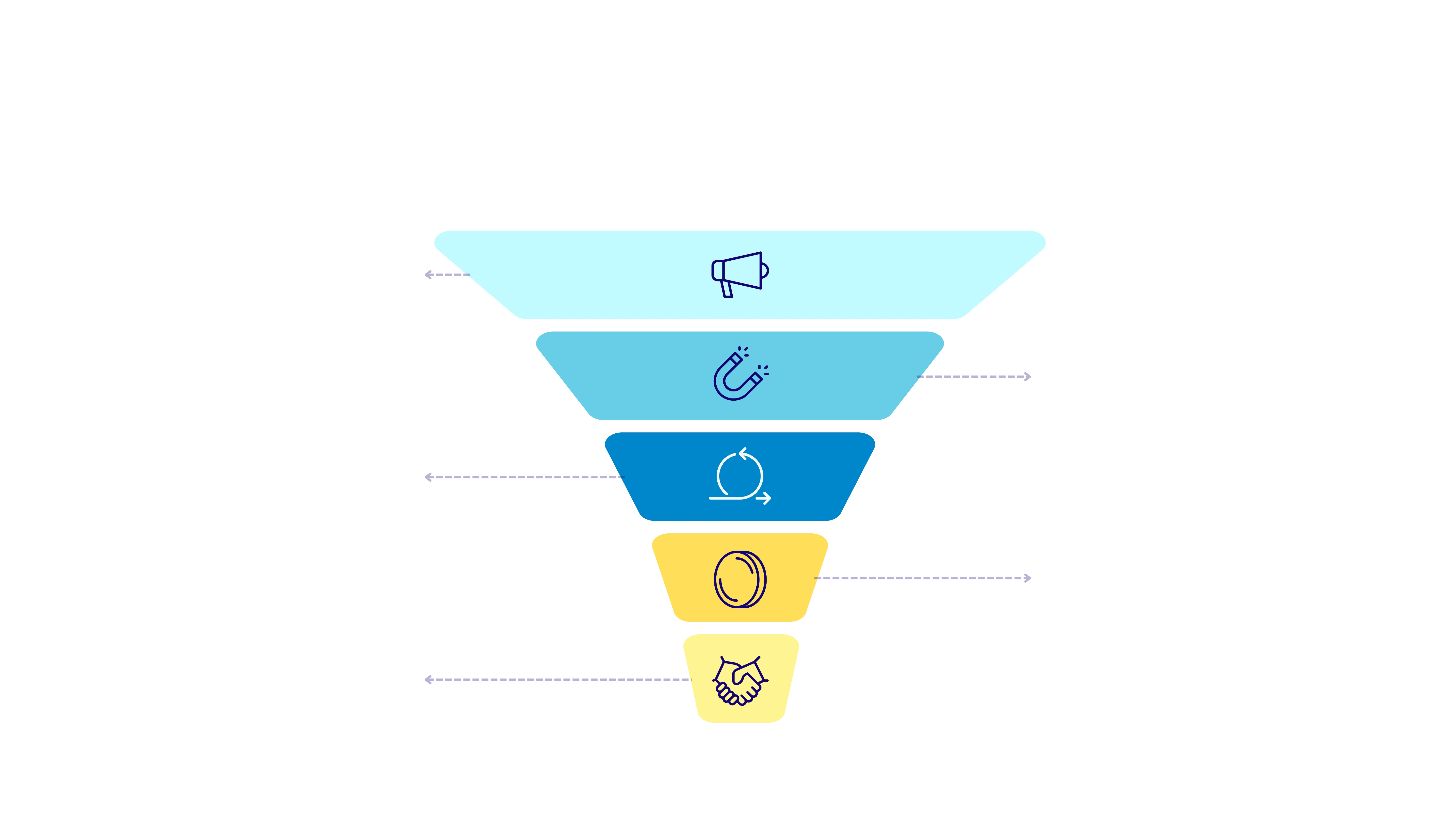
The funnel model was designed for a simpler time. Back then, customers saw an ad, visited a store, and bought something. Today, however, the average B2B buyer interacts with 20+ touchpoints before converting. Similarly, e-commerce shoppers often need 5-8 sessions across multiple devices.
Here’s the core problem: funnels assume a linear path. They show you drop-off rates between stages, which is useful. However, they completely ignore lateral movement. For example, a visitor might land on your pricing page, then leave. Two weeks later, they read a blog post. Then they check a review site. Finally, they come back through an email link and convert.
In a funnel view, that looks like a new visitor who converted immediately. In reality, it was a complex journey with multiple influences. Additionally, funnels struggle with these common patterns:
- Looping behavior — customers revisit the same stage multiple times
- Channel switching — moving between mobile, desktop, and tablet
- Influence without clicks — seeing a social post but not clicking it
- Shared research — one person researches, another person buys
As a result, funnel-based attribution consistently overvalues the last touchpoint. I’ve written about this in detail in my piece on solving the last-click attribution problem.
What Customer Journey Mapping Actually Looks Like
Customer journey mapping is the practice of visualizing every interaction a customer has with your brand. Furthermore, it goes beyond just tracking page views. It connects behavioral data across sessions, channels, and time periods to create a complete picture.
When I set this up for clients, I typically start with three layers:
- The data layer — raw analytics events, timestamps, and session data
- The pattern layer — common sequences that emerge from the data
- The insight layer — what those patterns mean for your business decisions
For instance, one SaaS client discovered that their highest-value customers all followed a specific pattern. They visited the blog first, then checked the integrations page, then signed up for a webinar. Only after the webinar did they start a trial. Consequently, the company shifted budget toward content and webinars — and saw trial-to-paid conversion jump 34%.
That insight was invisible in their funnel. However, it became obvious once we mapped actual journeys. This is why customer journey mapping matters so much. It reveals the paths that drive revenue, not just the paths you designed.
Key Touchpoints to Track in Customer Journey Mapping
Not every interaction carries equal weight. Therefore, you need to prioritize which touchpoints to track. In my experience, these are the ones that matter most:
| Touchpoint Type | Examples | Why It Matters |
|---|---|---|
| First touch | Organic search, social media, referral link | Shows how people discover your brand initially |
| Content engagement | Blog reads, video views, resource downloads | Reveals what topics drive interest and trust |
| Product exploration | Pricing page, feature pages, comparison pages | Signals buying intent and evaluation criteria |
| Micro conversions | Newsletter signup, free tool usage, webinar registration | Indicates commitment before the final purchase |
| Social proof | Review sites, case studies, testimonials page | Shows when prospects seek validation |
| Return visits | Direct traffic, email clicks, bookmark visits | Demonstrates ongoing consideration and loyalty |
| Conversion event | Purchase, trial start, demo request | The final action that generates revenue |
Each of these touchpoints tells a different part of the story. Moreover, the sequence matters just as much as the individual events. For example, someone who reads three blog posts before visiting pricing behaves very differently from someone who goes straight to pricing from a paid ad.
I’ve seen this pattern repeatedly: micro conversions are often the most revealing touchpoints. They indicate real engagement without the pressure of a final purchase decision. Therefore, tracking them is essential for accurate customer journey mapping.
Building a Journey Map from Your Analytics Data
Now let’s get practical. Here’s how I build customer journey maps for my clients, step by step.
Step 1: Define Your Conversion Events
First, identify what counts as a conversion. This seems obvious, but many teams skip this step. For an e-commerce site, it might be a completed purchase. For SaaS, it could be a trial signup or a demo booking. Additionally, define your micro conversions — the smaller actions that signal progress.
Step 2: Collect Cross-Session Data
Single-session analysis won’t cut it. You need to connect user behavior across multiple visits. Privacy-focused tools like Plausible Analytics and Matomo can do this while respecting user privacy. Moreover, make sure you’re tracking UTM parameters consistently across all campaigns.
Step 3: Identify Common Sequences
Look at your converted users and work backward. What pages did they visit? In what order? How many sessions did it take? Furthermore, compare these sequences to users who didn’t convert. The differences will reveal your most important touchpoints.
Step 4: Segment by Outcome
Not all customers are equal. Therefore, segment your journey data by customer value. High-value customers often follow different paths than low-value ones. Similarly, customers who churn quickly may show distinct early warning patterns in their journey data.
Step 5: Visualize and Share
Raw data isn’t useful until people can understand it. Tools like Hotjar offer journey visualization features. Alternatively, you can build custom visualizations using your analytics platform’s reporting tools. The goal is to make the journey visible to everyone on your team.

Common Customer Journey Mapping Mistakes
I’ve seen teams make the same errors repeatedly. Here are the mistakes that waste the most time and money:
Mistake 1: Mapping the ideal journey instead of the real one. Many teams create journey maps based on how they think customers should behave. However, the whole point is to discover how they actually behave. Always start with data, not assumptions.
Mistake 2: Ignoring offline touchpoints. A phone call, a trade show conversation, or a word-of-mouth recommendation can all influence the journey. Therefore, find ways to capture these interactions. Even simple post-purchase surveys asking “How did you hear about us?” can fill gaps in your data.
Mistake 3: Treating all touchpoints equally. Some interactions carry more weight than others. For example, reading a detailed case study typically signals stronger intent than a brief homepage visit. As a result, your journey map should account for touchpoint quality, not just quantity.
Mistake 4: Building it once and forgetting it. Customer behavior changes constantly. New channels emerge. Competitors shift their strategies. Consequently, your journey map should be a living document that you update at least quarterly.
Mistake 5: Not connecting journey insights to action. The most common mistake I see is teams that build beautiful journey maps but never change anything based on what they find. Therefore, every mapping exercise should end with specific, actionable recommendations. According to research from the Nielsen Norman Group, journey maps only deliver value when they drive concrete decisions.
Practical Examples: E-Commerce vs SaaS Customer Journey Mapping
Customer journey mapping looks different depending on your business model. Here’s a comparison based on what I’ve seen across dozens of implementations:
| Dimension | E-Commerce Journey | SaaS Journey |
|---|---|---|
| Average touchpoints | 5-8 before first purchase | 15-25 before trial signup |
| Typical timeline | 1-14 days | 2-8 weeks |
| Key content touchpoints | Product pages, reviews, comparison posts | Blog posts, webinars, case studies |
| Decision influencers | Price, reviews, shipping speed | Features, integrations, support quality |
| Common entry points | Search, social ads, marketplace listings | Organic search, referrals, content marketing |
| Micro conversions | Add to cart, wishlist, email signup | Free tool usage, newsletter, documentation visits |
| Post-conversion journey | Repeat purchase, loyalty program | Onboarding, feature adoption, upsell |
| Attribution challenge | Cross-device tracking | Long sales cycles with many stakeholders |
For e-commerce, the journey is typically shorter but more impulsive. In my experience, the biggest insight usually comes from understanding what triggers return visits. For instance, one client found that customers who received a cart abandonment email and then visited a review site were 3x more likely to complete their purchase than those who simply clicked back from the email.
For SaaS, the journey is longer and involves more stakeholders. Consequently, you need to track not just individual users but also account-level behavior. When I set this up for a B2B SaaS client, we discovered that accounts where multiple team members visited the documentation page converted at twice the rate. That insight led them to add “share with your team” prompts throughout their trial experience.
Understanding these differences matters for choosing the right attribution model for your business type. Moreover, as research from the Baymard Institute shows, nearly 70% of e-commerce carts are abandoned — making journey mapping even more critical for understanding what happens between that first visit and the final purchase.
Bottom Line
Customer journey mapping with analytics is not a luxury — it’s a necessity. The traditional funnel served us well for years. However, modern buying behavior demands a more nuanced approach. By tracking real touchpoints, identifying common sequences, and connecting insights to action, you can make smarter marketing decisions.
Start small. Pick your most important conversion event. Then trace backward through your data to find the paths that lead there. Additionally, keep iterating. The best journey maps are never truly finished — they evolve as your customers and market change.
The companies that understand their customers’ actual journeys — not their assumed journeys — are the ones that win. In my experience, this single shift in perspective can transform how you allocate budget, create content, and design experiences.
Therefore, stop optimizing your funnel. Start mapping real journeys instead. Your analytics data already contains the answers. You just need to ask the right questions.