Server-Side Tracking: Cleaner Data Without Third-Party Cookies

Server-side tracking is one of those phrases that sounds far more technical than it is. At its heart, it just means moving your analytics off the visitor’s browser and onto your own server. That small shift solves a surprising number of modern measurement headaches — ad blockers, browser restrictions, and the slow erosion of cookies. But it isn’t a magic privacy wand, and it brings responsibilities of its own. So let me walk you through what server-side tracking actually is, why people are moving to it, and where the catch hides.
What Is Server-Side Tracking?
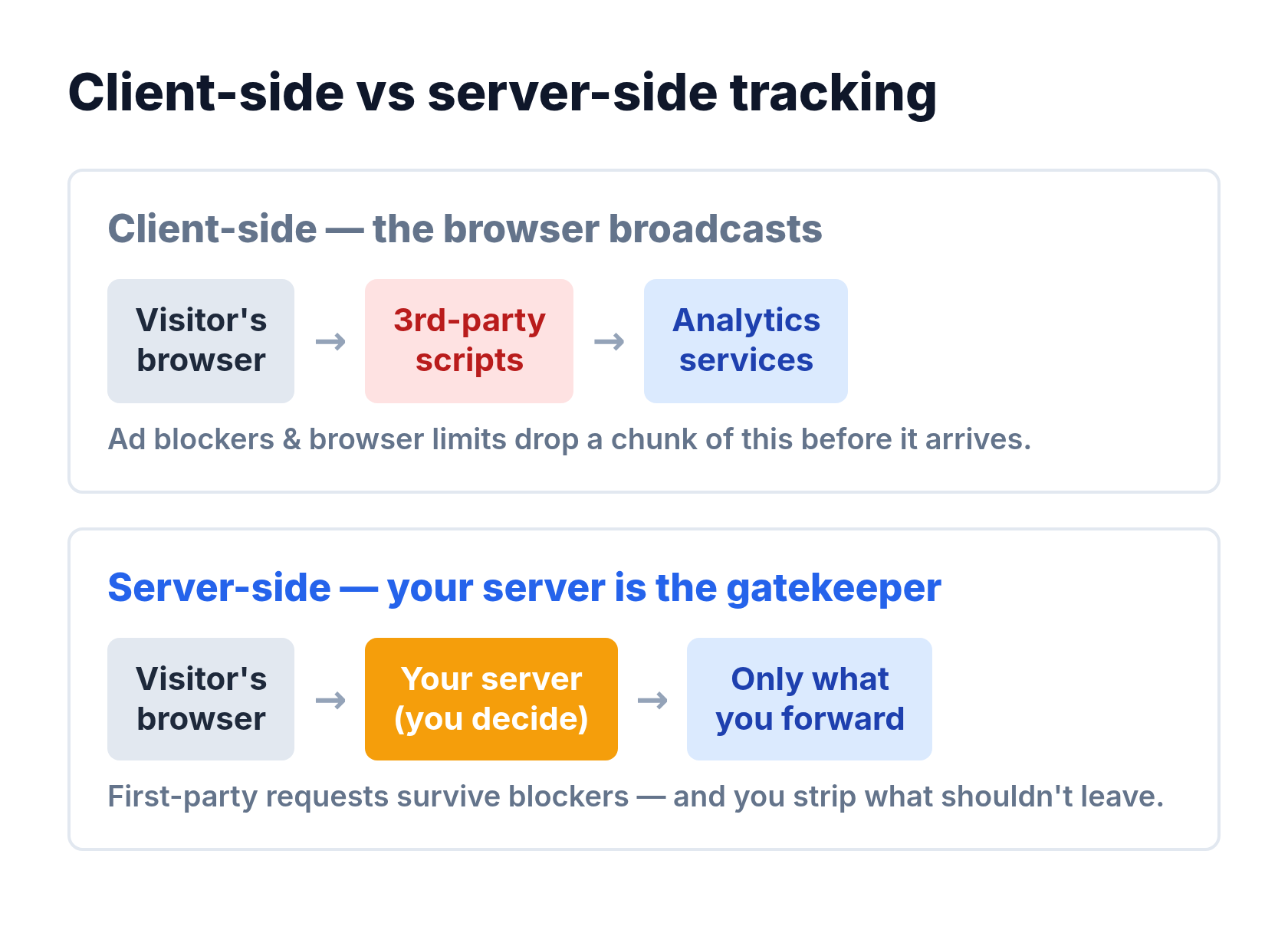
Traditional analytics is client-side: a snippet of JavaScript runs in the visitor’s browser, collects data, and sends it straight to an analytics service. Server-side tracking changes the route. The data goes to your own server first, and your server decides what to forward, when, and to whom.
That middle step is the whole point. Instead of the browser talking directly to a dozen third parties, everything passes through infrastructure you control. As a result, you decide what gets collected and what gets dropped before it ever leaves your domain.
Client-side tracking lets the browser broadcast to everyone. Server-side tracking puts you in the middle, deciding what actually gets sent.
How It Works
The flow is simple once you see it side by side. In a client-side setup, the browser does all the talking. In a server-side setup, your server becomes the gatekeeper.
| Step | Client-side | Server-side |
|---|---|---|
| Where data is collected | Visitor’s browser | Your own server |
| Who sends it onward | The browser, directly | Your server, on your terms |
| Exposed to ad blockers | Yes, often blocked | Largely avoided |
| Control over the data | Limited | You decide what’s shared |
Because the requests now come from your domain rather than a third-party script, they look like first-party traffic. Consequently, they survive the browser and extension restrictions that quietly drop a chunk of client-side data.
Why Move to Server-Side Tracking?
There are three practical reasons I see teams make the switch.
More Complete Data
Ad blockers and tracking-prevention features block a meaningful share of client-side requests. Server-side tracking sidesteps much of that, so you recover data you were silently losing. In my experience, sites are often surprised how much was missing once they compare the two.
Better Performance
Every third-party script you remove from the page is weight the browser no longer has to load. Moving tracking server-side can trim that bloat, which helps your load times — and load time quietly affects everything from bounce rate to conversions.
Real Control Over Privacy
This is the big one, and it cuts both ways. Server-side tracking lets you strip out personal data, honor consent, and decide exactly what leaves your infrastructure. Handled well, it’s a genuine upgrade for a first-party data strategy and pairs naturally with the wider move toward privacy-focused analytics.
The Catch: It’s Not Automatically Private
Here’s where I have to be honest, because the marketing around this gets slippery. Server-side tracking is sometimes pitched as a way to “get around” ad blockers and privacy controls. Used that way, it’s not privacy-friendly at all — it’s the opposite. Bypassing a user’s blocker to collect data they tried to refuse is exactly the behavior that eroded trust in tracking in the first place.
The technique is neutral. What matters is intent. Use server-side tracking to collect less, respect consent, and keep data on your own infrastructure, and it’s a real privacy win. Use it to quietly collect more than users agreed to, and you’ve just built a sneakier tracker. The same consent rules I cover in my piece on cookie consent impact still apply — moving the code to your server doesn’t move the ethics.
Is Server-Side Tracking Right for You?
- Worth it if: you’re losing real data to ad blockers, you want first-party reliability, and you have the technical capacity to set it up and maintain it responsibly.
- Maybe overkill if: you run a small site, your data loss is minor, and a simple privacy-first analytics tool already gives you what you need.
- A red flag if: your only goal is to dodge consent and blockers. That’s a legal and reputational risk, not a strategy.
For most small sites, a good cookieless analytics tool already delivers most of the benefit with none of the setup. Server-side tracking earns its keep when data completeness genuinely matters and you can run it cleanly.
Frequently Asked Questions
Does server-side tracking avoid cookies entirely?
Not necessarily, but it can. Server-side setups can work without third-party cookies and even without client cookies, which is part of the appeal as browser restrictions tighten. The implementation decides.
Is server-side tracking GDPR-compliant?
It can be, but it isn’t automatically. You still need a lawful basis and valid consent for personal data. Server-side makes compliance easier to implement — it doesn’t replace it.
Do I need a developer for server-side tracking?
Usually, yes. It involves server infrastructure and ongoing maintenance, so it’s more involved than dropping a snippet on a page. Small sites are often better served by a simple cookieless tool.
Bottom Line
Server-side tracking moves measurement from the visitor’s browser to your own server, and that single change buys you more complete data, lighter pages, and real control over what you collect. It’s powerful — but it’s a tool, not a virtue. Point it at collecting less and respecting consent, and it’s one of the cleanest ways to measure in a cookie-restricted web. Point it at dodging the controls users deliberately set, and you’ve just built a better way to break their trust. In my experience, the teams that win with server-side tracking are the ones who treat the privacy part as the point, not the obstacle.